
Fleet reports
Fleet reports that answer questions, not just add up totals.
CarFai turns every receipt and invoice your drivers capture into reports you can act on: where the money goes, which vehicles cost the most, what is coming next. When the accountant needs the numbers, any period exports to PDF or CSV.
The problem
Why fleet reporting takes so long
The data is never complete
Reports built from spreadsheets are only as good as the last receipt someone typed in. Month-end numbers are always a few weeks late.
Totals don’t explain anything
A total per month shows that costs went up. It doesn’t show which vehicle, which category or which period caused it.
The accountant waits
Every quarter, someone rebuilds the same export by hand so the books and the tax return can be done.
How it works
Reports that build themselves
- 01
Costs come in as they happen
Drivers photograph receipts and invoices; each cost is filed to its vehicle and category right away.
- 02
Analytics update on their own
Spending by category, cost per vehicle and per km, and the cost leaderboard are always current.
- 03
Export when you need it
Pick a period, by vehicle or by category, and export to PDF or CSV for the accountant.
What you get
See where the money goes
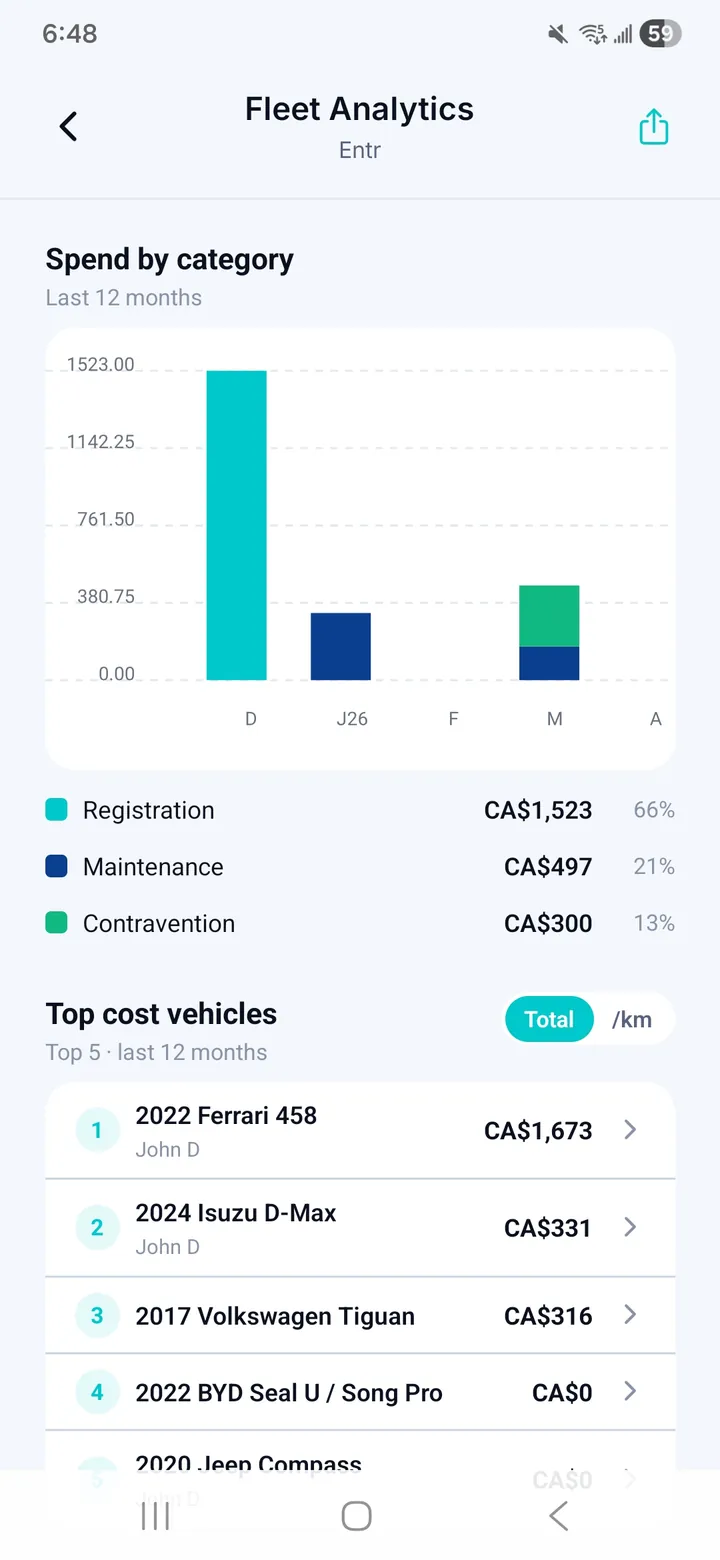
Spend by category and period
A 12-month view of fuel, maintenance, insurance, parking, tolls and fines across the fleet.
Cost leaderboard
The vehicles that cost the most, ranked, with a switch between total spend and cost per kilometre.
Fleet analytics
Utilization, drivers, costs and maintenance for the whole organization in one view.
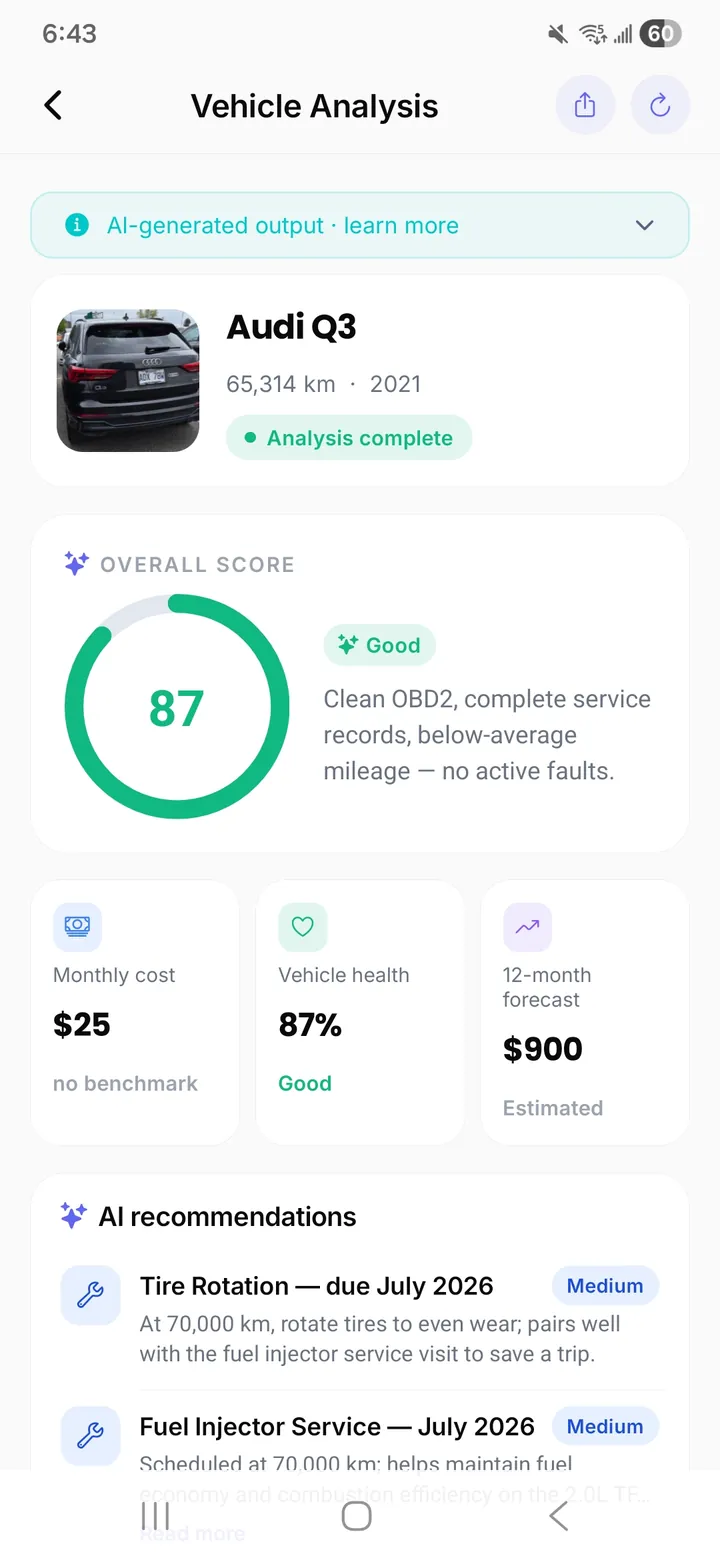
AI vehicle analysis
For each vehicle, an overall score, monthly cost, a 12-month cost forecast and maintenance recommendations.
Ask the fleet a question
On Fleet and Enterprise plans, the AI advisor compares vehicles across the fleet and explains what drives their costs.
PDF and CSV exports
Per-period exports by vehicle or by category, with read-only access for the accountant through the Viewer role.
Questions fleet managers ask
Which formats can we export?
PDF for reading and sharing, and CSV for spreadsheets and accounting software. Exports cover any period, by vehicle or by category.
Can our accountant access the reports directly?
Yes. Invite them with the Viewer role: they see the numbers and can export them, but cannot change anything.
Can we compare vehicles of different ages and mileages?
Yes. Switch the leaderboard from total spend to cost per kilometre so a high-mileage van and a low-mileage car compare fairly.
What is the AI vehicle analysis based on?
The vehicle’s own costs, service history and diagnostic data. It is marked as AI-generated in the app so you know where it comes from.
Does CarFai replace our GPS or telematics reports?
No. CarFai reports on costs, documents and maintenance. It works alongside GPS tracking, not instead of it.
Related guides
More fleet features
- Fleet expense tracking without the spreadsheet.
- Fleet maintenance planned from real service history.
- Fuel receipts, captured on the road and filed automatically.
- Every vehicle document in one place, with reminders before they expire.
- A driver app your team will actually use, and a fleet that stays yours.
- Fleet overview
Get reports your accountant will actually use.
Every cost captured once, reported everywhere. Plans for fleets of 3 to 200+ vehicles.